We have developed a web-version of the platform and you can trade on any device using one account without being linked to one workplace.
The platform is synchronized with all user devices and meets all security requirements.
To get started, you do not need to install the application, just go to our website — https://cryptorobotics.ai/account/ and pass a quick registration.

To create an account, enter the information requested in the registration form, accept the platform terms, and confirm your email address using the code sent to you. After registration, you can explore the platform in Demo mode without connecting a real exchange or topping up your commission balance.
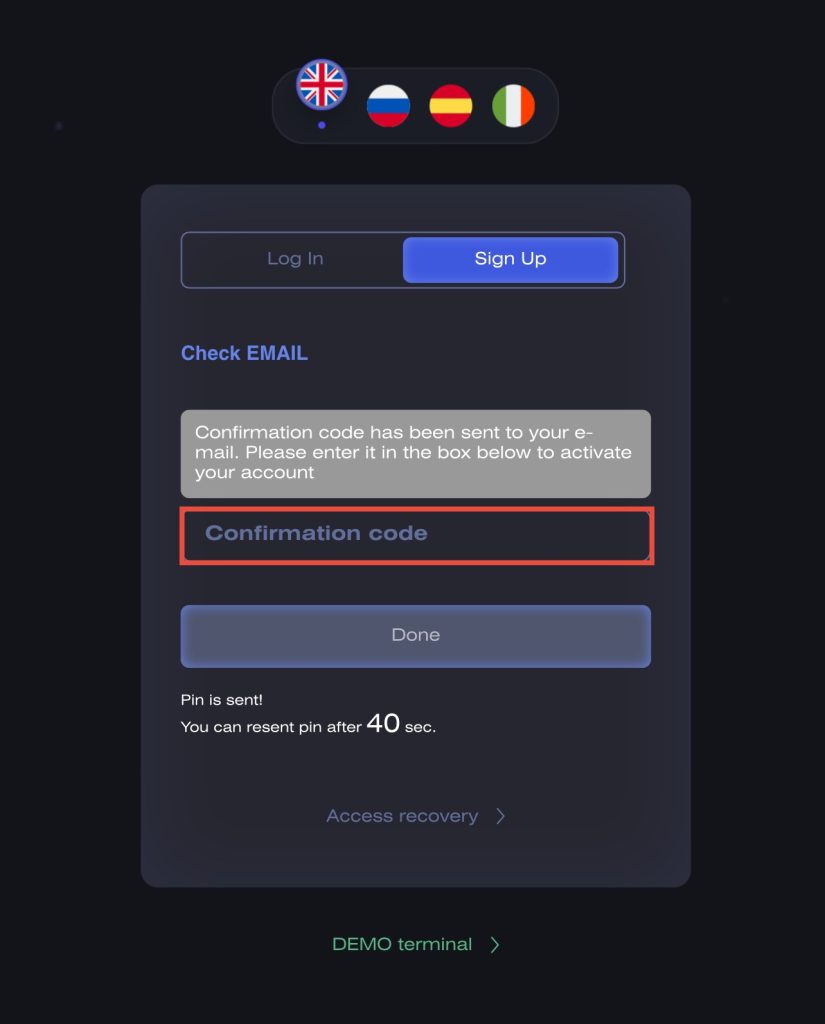
After that you need to confirm your email. In the email you will receive a code that you need to insert into the form and click the «Done» button.
If you have not received an email, then check the spam folder.
Next the platform will offer you to connect two-factor authentication (Google Authenticator, FreeOTP) to protect your account.
Installation instructions are on this page.
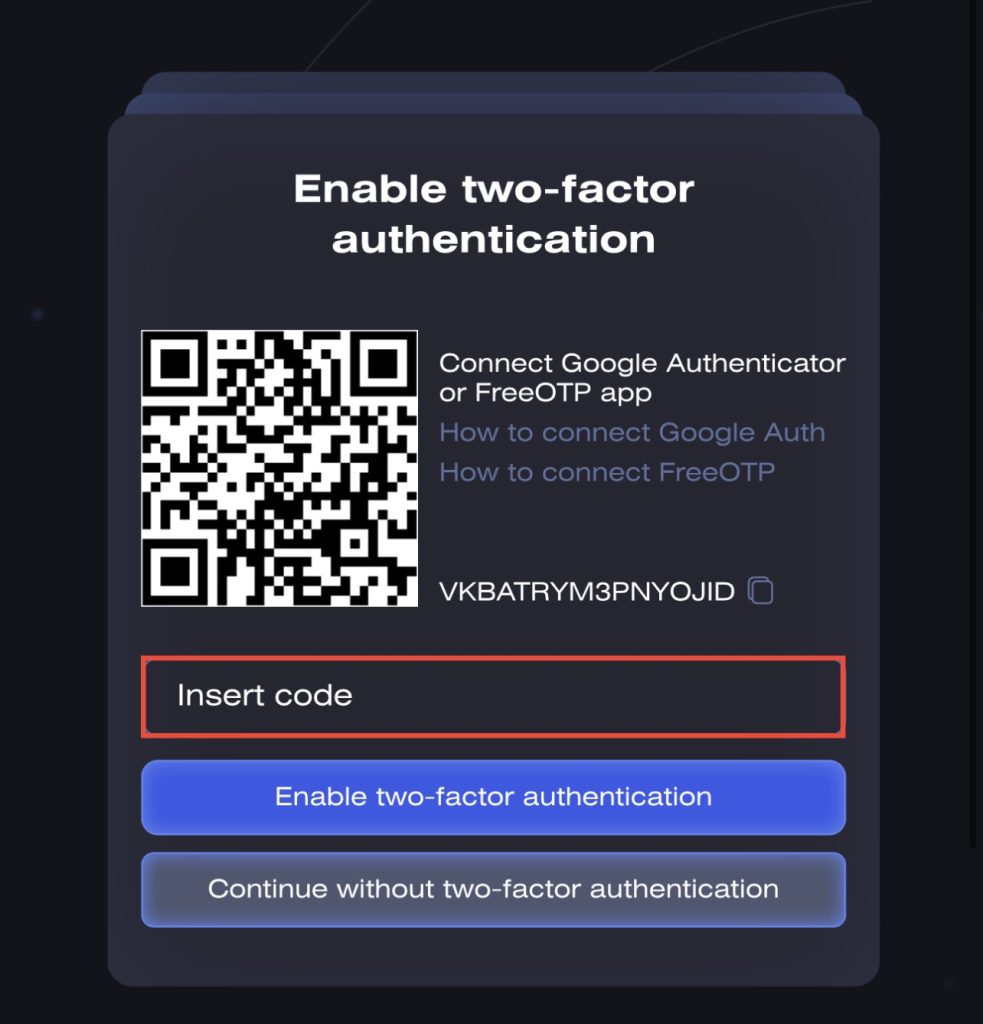
You can enable it immediately or continue without it by going directly to the platform.
You can also enable 2FA in the dashboard of your Account in the Personal Data section.
To get started, follow the Getting Started with CryptoRobotics guide. It explains Demo trading, choosing a strategy, connecting an exchange account, and topping up your commission balance for real trading.