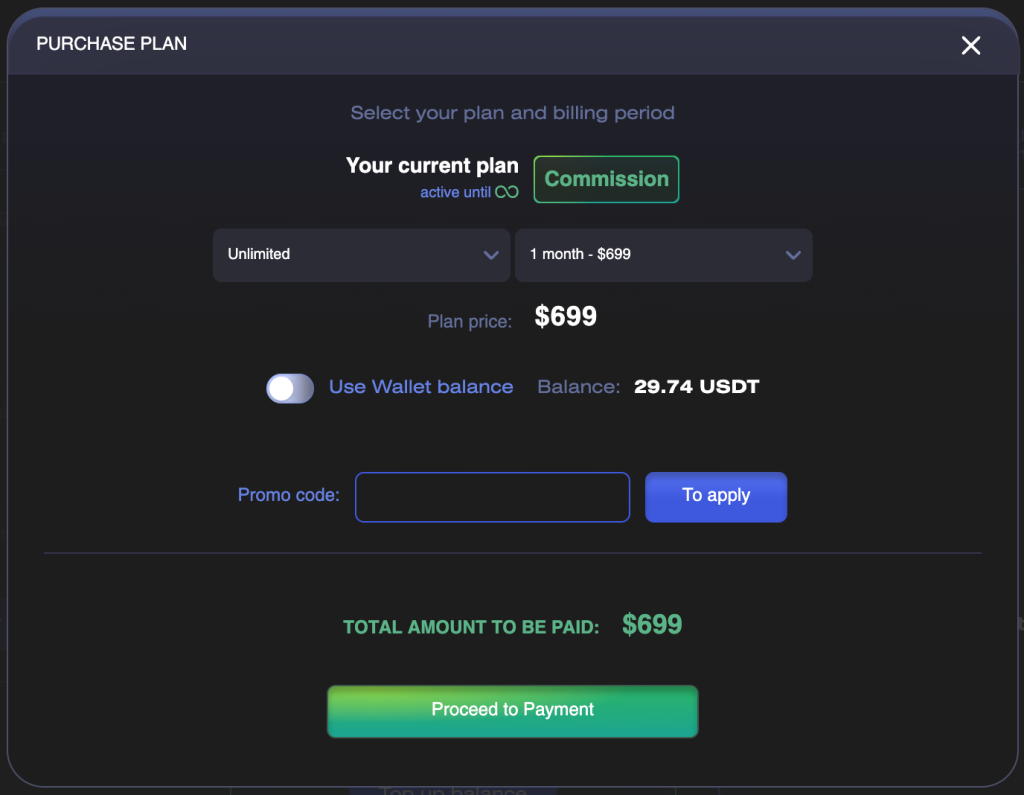
CryptoRobotics is a platform for automated and manual cryptocurrency trading. You can start with free demo trading. To trade with real funds, connect an exchange account and top up the Commission balance in your Wallet.
Quick Start
1. Run a demo bot and explore the platform without risking real funds.
2. Find a strategy that suits you.
3. Connect your exchange account.
4. Top up the Commission balance in your Wallet.
5. Configure and launch a trading tool.
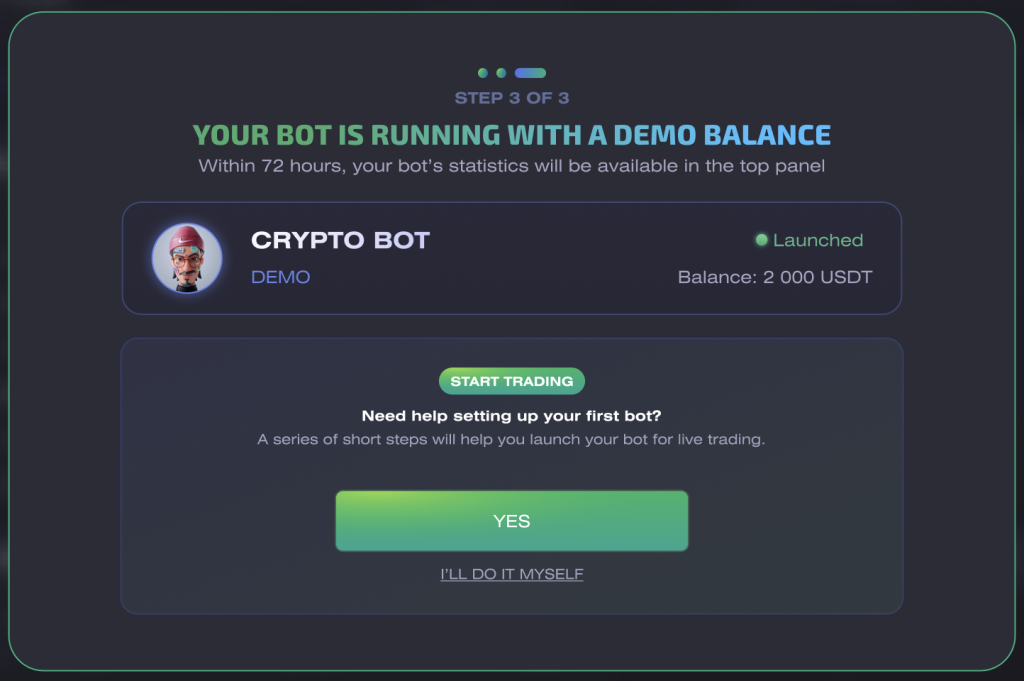
Step 1. Try Demo Trading
You do not need to connect a real exchange account or top up your Commission balance to explore the platform.
CryptoRobotics does not charge a commission when you trade on Demo Spot, Demo Futures, or use a Trading Bot in Test mode. This allows you to explore the interface, test the tool settings, and see how trades are opened and closed without risking real funds.
Step 2. Choose a Suitable Strategy
Answer a few questions in the Choose the strategy section, and the platform will help you find a suitable option based on your goals and preferences.
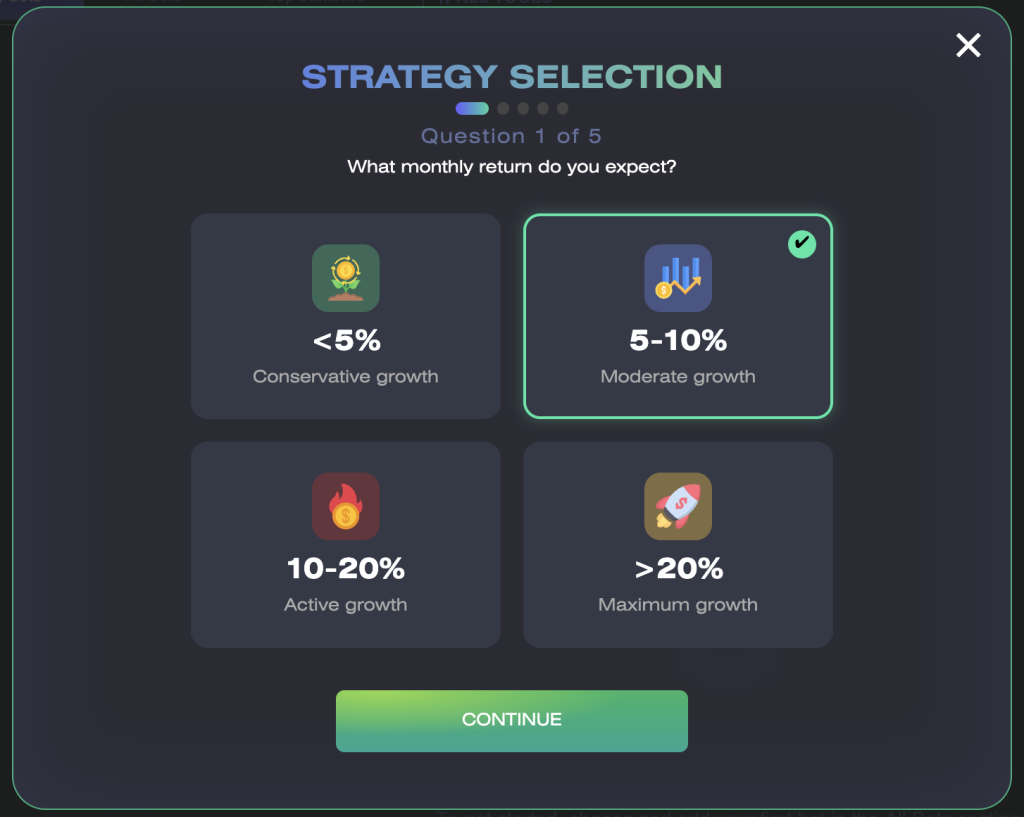
You can use this feature at any time by clicking Choose strategy in the upper-right corner of the platform.
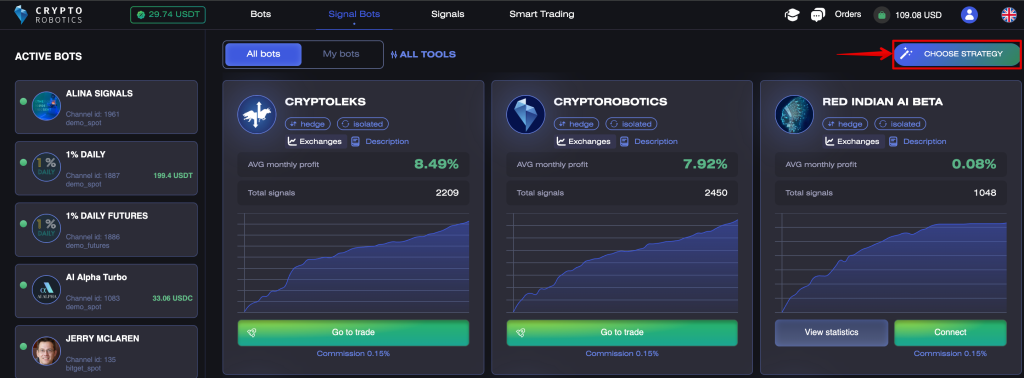
You can also select a tool yourself in the Trading Bots, Signal Bots, Signals, or Smart Trading sections.
Step 3. Connect an Exchange
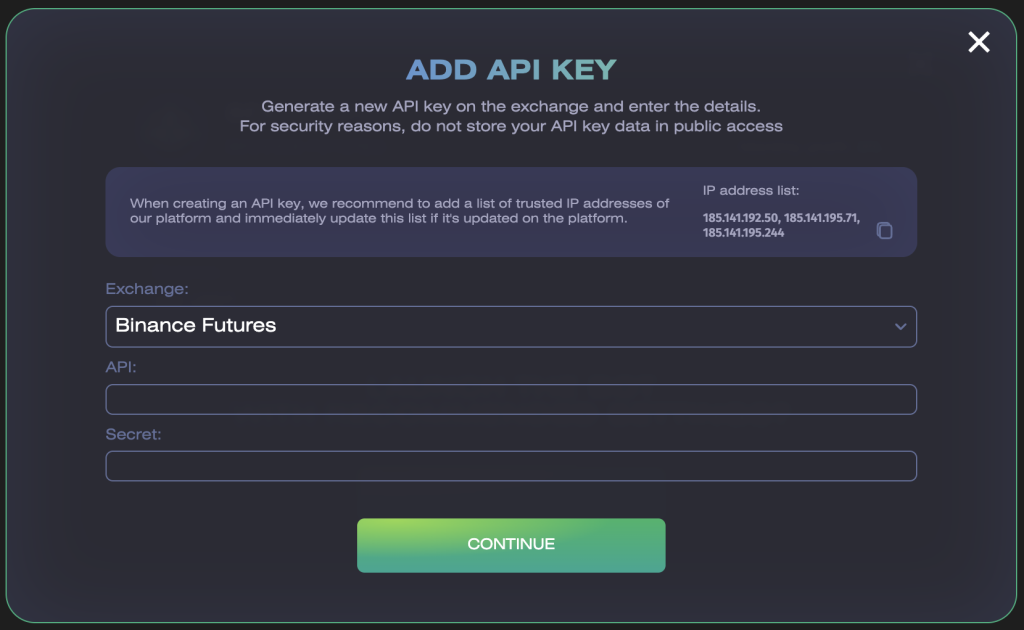
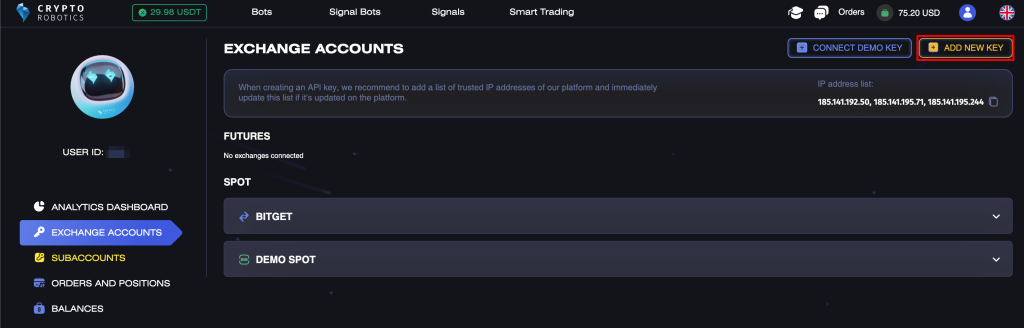
To trade with real funds, connect your personal exchange account via API or create a subaccount on the platform.
Before connecting the account, make sure the API key has all required trading permissions but does not have withdrawal permissions.
Important: your trading funds remain in your exchange account. The Commission balance in your CryptoRobotics Wallet is used only to pay for CryptoRobotics services and is separate from your exchange balance.
You can add an API key directly during the strategy selection process.
Alternatively, you can add it yourself in the Exchange Accounts section.
Step 4. Top Up Your Commission Balance
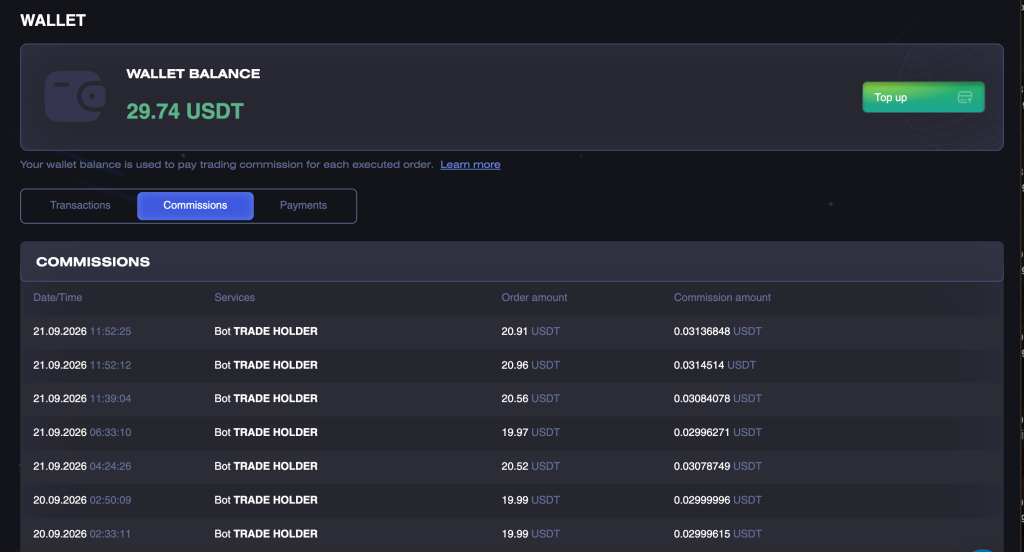
To open new orders on a real exchange, top up the Commission balance in your Wallet. CryptoRobotics commissions for filled orders are deducted from this balance.
Commission Rates
• Trading Bots and Signal Bots — 0.15% of the filled amount of each order.
• Smart Trading — 0.07% of the filled amount of each order.
How to Top Up Your Balance
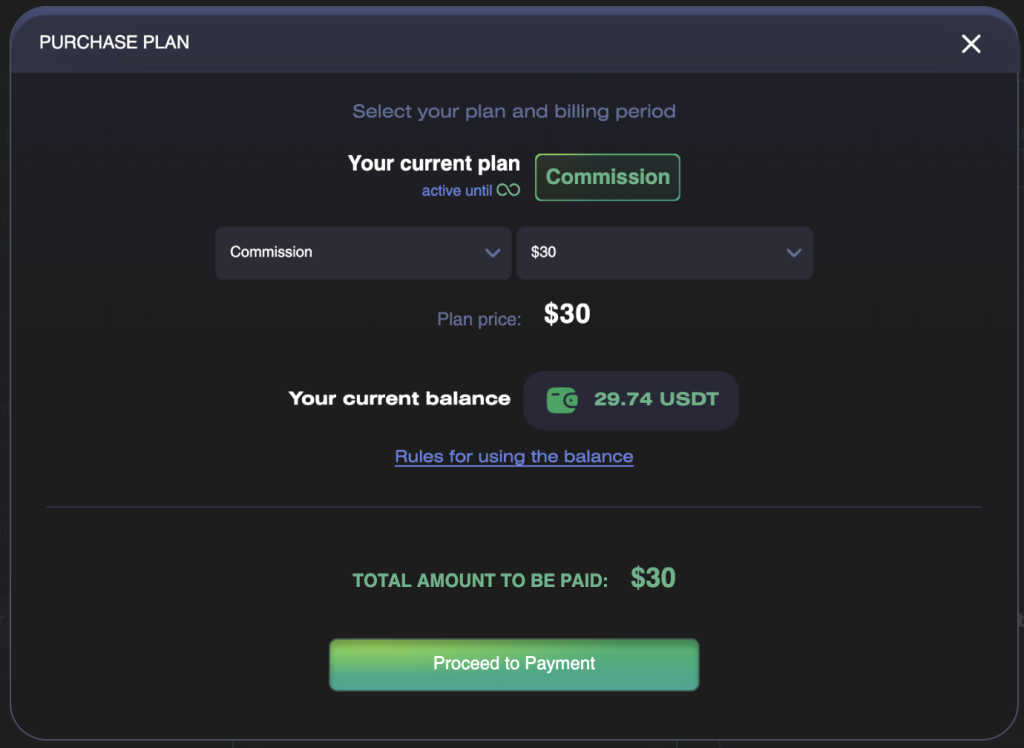
1. Open the plan purchase window.
2. Select Commission.
3. Select one of the available top-up amounts.
4. Proceed to payment and complete the transaction.
5. Once the payment is confirmed, check the balance in your Wallet.
Guide to Using Commission Balance
How the Commission Balance Works
The commission is charged after each order is filled. It may be charged separately when a position is opened and for each filled closing order, including Take Profit, Stop Loss, manual closing, and closing by a bot or signal.
If your balance is insufficient to close an existing position, the closing order will not be blocked. The commission will still be calculated, the balance may become negative, and new opening orders will be unavailable until the debt is repaid.
When you top up the balance again, the negative balance is repaid automatically, and the remaining amount is credited to your Commission balance.
Step 5. Choose a Trading Tool
Trading Bots
A Trading Bot automatically opens and closes trades according to the selected strategy.
No commission is charged on demo exchanges or in Demo mode. On a real exchange, a 0.15% commission applies to each filled order.
Signal Bots and Signal Channels
A signal channel gives you access to an analyst’s trading signals, while a Signal Bot can automatically execute those signals on a connected exchange.
A signal channel subscription is purchased separately and is not paid from the Commission balance.
A 0.15% commission is charged for orders filled by a Signal Bot on a real exchange.
Learn more about Signals and Signal Bots.
Smart Trading
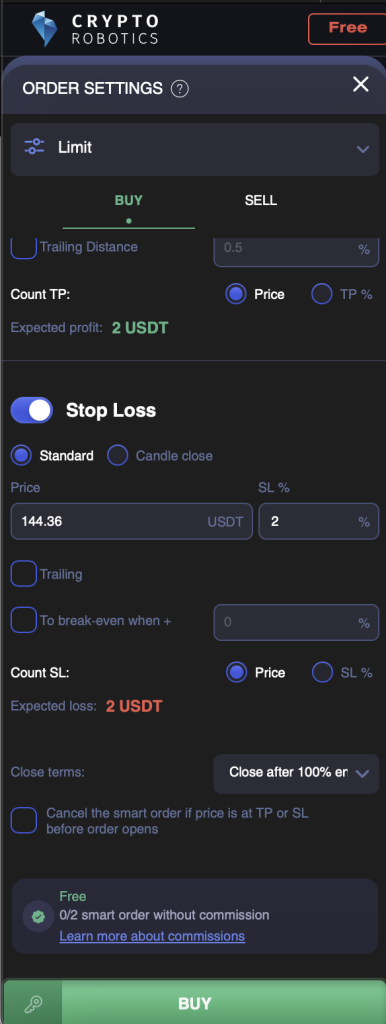
Smart Trading allows you to place orders with Take Profit, Stop Loss, and other advanced settings.
The Free plan includes two free Smart orders. The free allowance is used after the first order within a Smart contract is actually filled. A contract with an order that remains unfilled or is canceled does not use the free allowance.
After the free allowance is used, a 0.07% commission applies to each filled order. No commission is charged when trading on demo exchanges.
Learn more about Smart Trading
What Is Available with Commission
When your Commission balance is positive, you can use demo exchanges, create new subaccounts, connect new multi-accounts, add up to five strategies to a bot, and access the Analytics Dashboard.
If the balance is 0 or negative:
• Demo exchanges and the Analytics Dashboard remain available.
• Existing subaccounts and multi-accounts are retained.
• Existing strategies are retained and remain available for viewing and editing, but launching them on a real exchange is restricted.
• Creating new subaccounts, connecting new multi-accounts, and adding new strategies are blocked until the balance is topped up.
Useful Guides
How to Choose and Purchase a Plan
Rules for Using Commission Balance
If You Prefer to Trade Without CryptoRobotics Commission
Activate Unlimited to use the platform’s trading tools without CryptoRobotics commission during the plan’s validity period.
While Unlimited is active:
• No CryptoRobotics commission is charged for filled orders.
• All signal channels available on the platform are included without a separate subscription.
• The Commission balance in your Wallet can be used to pay for Unlimited in full or in part.
• Any unused Commission balance remains in your Wallet.