The commission balance in your Wallet is used to pay fees for executed orders under the Commission plan. It is a separate internal platform balance and is not connected to the trading balance on your linked exchange account.
How the Wallet Balance Differs from the Exchange Balance
- Your exchange balance contains the funds you use for trading.
- Your platform Wallet contains the funds used to pay platform fees.
- Topping up your Wallet does not increase your trading balance on the exchange.
- Platform fees are not deducted from your exchange account.
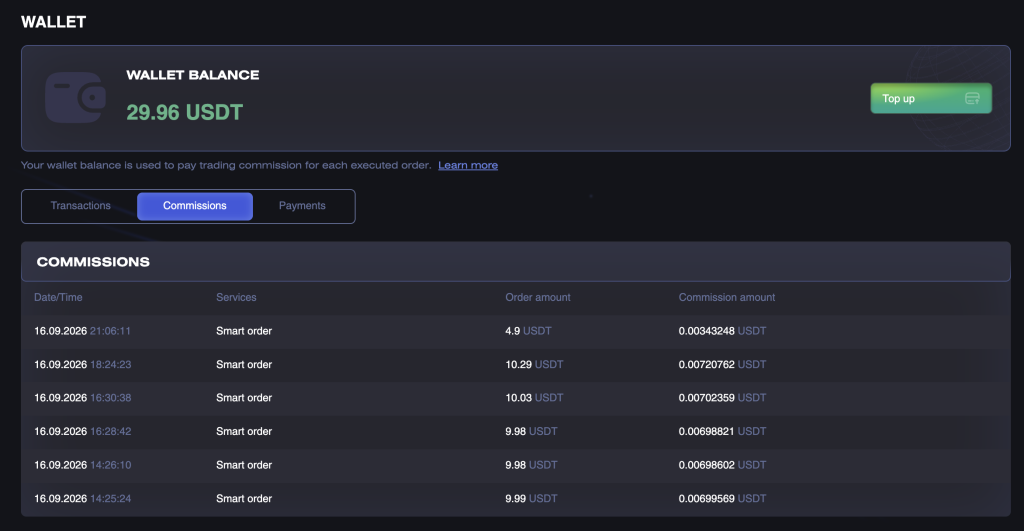
The commission balance can be used to:
- pay CryptoRobotics commissions for executed orders;
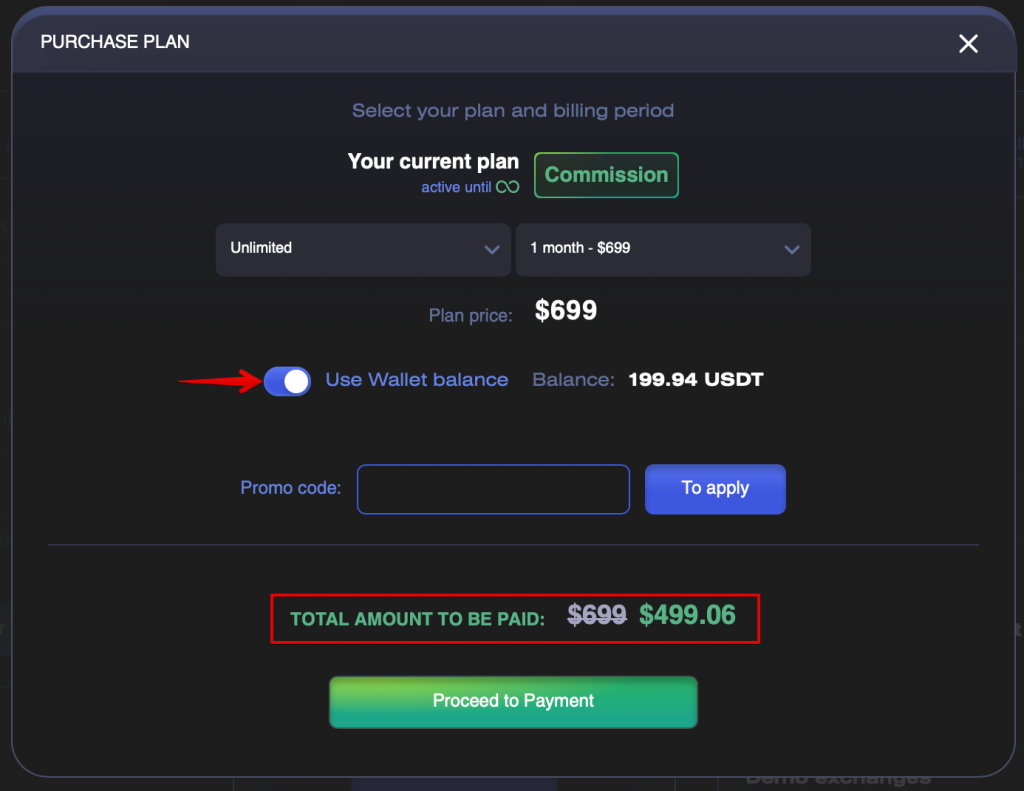
- pay for the Unlimited plan in full or in part.
To use your commission balance when purchasing Unlimited, enable the Use Wallet balance option. The available amount will be deducted from the plan price. If the balance is not sufficient to cover the full price, the remaining amount must be paid using the selected payment method.
The commission balance cannot be used to pay for a Signal Channel subscription or trading commissions charged by the connected exchange.
How to Top Up Your Commission Balance
- Open the plan purchase window or go to the Wallet section.
- Select the Commission plan.
- Select an available top-up amount.
- Proceed to payment and complete the transaction.
- Once the payment is confirmed, check your updated balance and the corresponding transaction record.
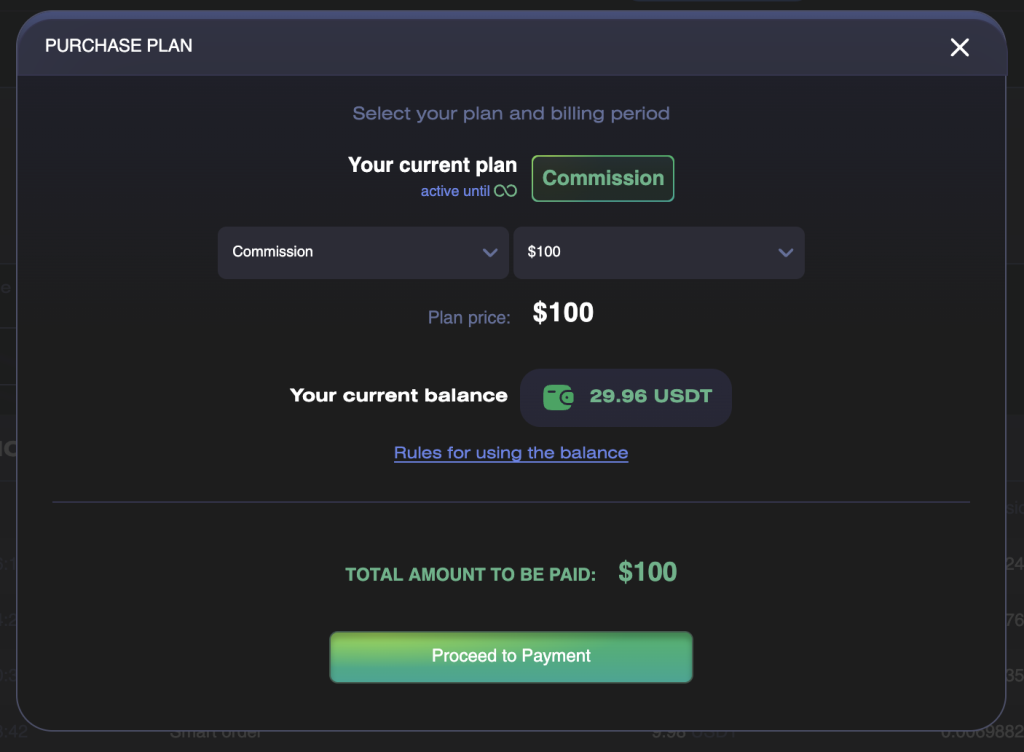
Available top-up amounts and their prices are displayed directly in the purchase window.
How the Commission Is Calculated
Bots and Signal Bots
The commission is 0.15% of the actual executed volume of each order.
Example: if an order is executed for 100 USDT, the fee will be:
100 × 0.15% = 0.15 USDT
Smart Trading
The commission is 0.07% of the actual executed volume of each order.
Example: if a Smart order is executed for 100 USDT, the fee will be:
100 × 0.07% = 0.07 USDT
When the Commission Is Deducted
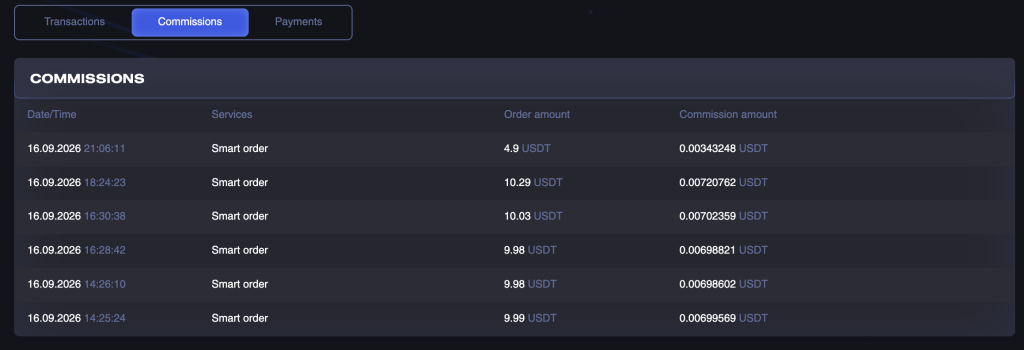
The commission is calculated after an order is actually executed. It is charged separately for each executed order, including:
- an opening order;
- Take Profit;
- Stop Loss;
- manual closing;
- closing by a bot or signal.
Once an order is executed, the commission balance is reduced and the transaction appears in the Wallet transaction history under the Commissions tab.
When the Commission Is Not Deducted
- The order has been created but has not yet been executed.
- The order was cancelled before execution.
- The order was rejected by the exchange.
- Trading takes place on Demo Spot, Demo Futures, or in demo mode.
- The Unlimited plan is active at the time of execution.
What Happens If There Are Insufficient Funds
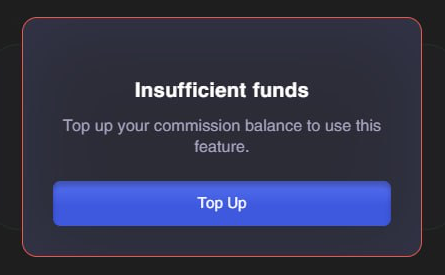
To create a new opening order on a real exchange, your commission balance must be positive. If the balance is 0 or below, the system will prompt you to top it up.
Closing an existing position is not blocked due to insufficient funds.
- The closing order is executed.
- The execution commission is calculated as usual.
- If there are insufficient funds, the balance becomes negative.
- New opening orders are blocked until the outstanding balance is repaid.
How an Outstanding Balance Is Repaid
When you next top up your Wallet, the funds are first used automatically to repay the negative balance. The remaining amount is then credited to your commission balance.
Example: your balance is −1.2 USDT. After a 30 USDT top-up, the outstanding balance will be repaid and the available balance will be 28.8 USDT.
Using the Wallet with the Unlimited Plan
- While the Unlimited plan is active, the commission balance is not used for trading.
- No commissions are deducted for executed orders.
- Your current Wallet balance is preserved.
- When the Unlimited plan expires, you will automatically be switched to the Commission plan, and your balance will once again be used to pay fees.
FAQ
Why Did My Wallet Balance Decrease Even Though the Position Is Still Open?
A commission is charged for every executed order. This means a commission may be deducted when the position is opened and then charged again when a Take Profit, Stop Loss, or another closing order is executed.
Can I Pay for Unlimited Using My Commission Balance?
Yes. When purchasing Unlimited, enable the Use Wallet balance option. Your available commission balance will be used to pay for the plan in full or in part.
Why Was the Commission Not Calculated Based on the Full Order Amount?
If an order is partially executed, the commission is calculated only on the actual executed volume.
Can I Close a Position If My Balance Is Zero?
Yes. A closing order can still be executed, but after the commission is deducted, your Wallet balance will become negative.
Do I Need to Top Up My Wallet to Trade in Demo Mode?
No. Demo exchanges and demo mode are commission-free.
Why Was the Full Top-Up Amount Not Credited to My Balance?
If your Wallet balance was negative before the top-up, part of the amount was automatically used to repay the outstanding balance.