To trade with real funds, choose one of the available payment models: Commission, where you pay for executed orders, or Unlimited, which allows you to trade commission-free for the duration of the plan. Current plan options and prices are displayed in the purchase window.
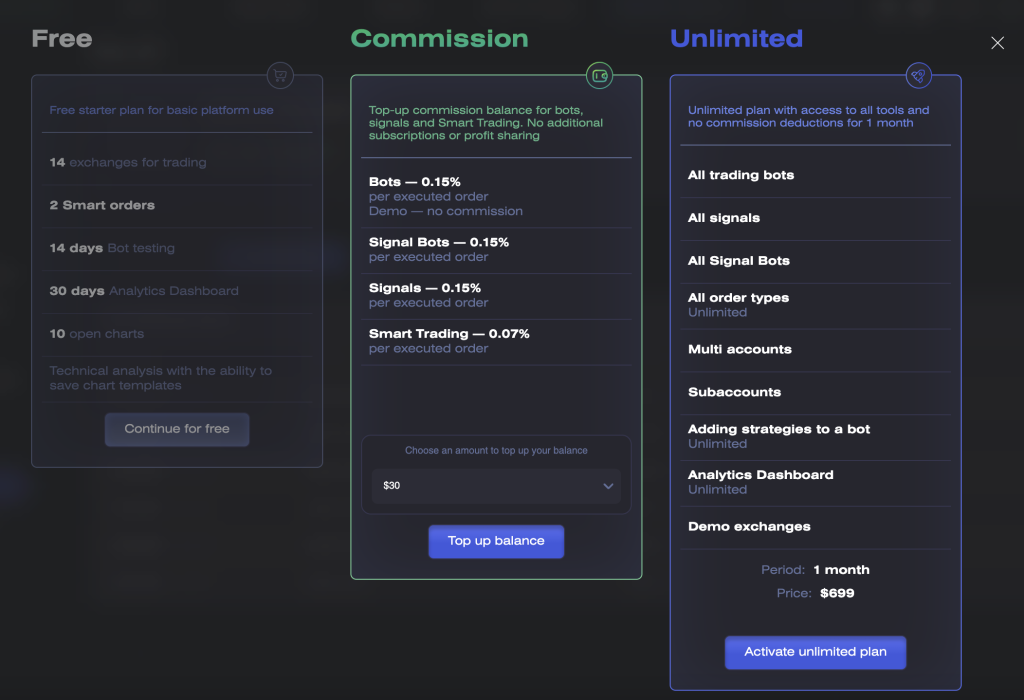
How to Choose a Plan
Choose Commission If
- you want to pay only for orders that are actually executed;
- you trade occasionally or with small volumes;
- you are ready to top up your commission balance in advance.
With the Commission plan, the commission is 0.15% for Bots and Signal Bots and 0.07% for Smart Orders.
Choose Unlimited If
- you actively use Bots, Signal Bots, or Smart Orders;
- you want to trade without paying a commission for each executed order;
- you want access to all signal channels available on the platform.
When purchasing Unlimited, you can use the commission balance in your Wallet to pay for the plan in full or in part. Any unused balance is preserved and is not used to pay commissions while Unlimited is active.
No commissions are charged when trading on Demo Spot, Demo Futures, or in demo mode in Trading Bots.
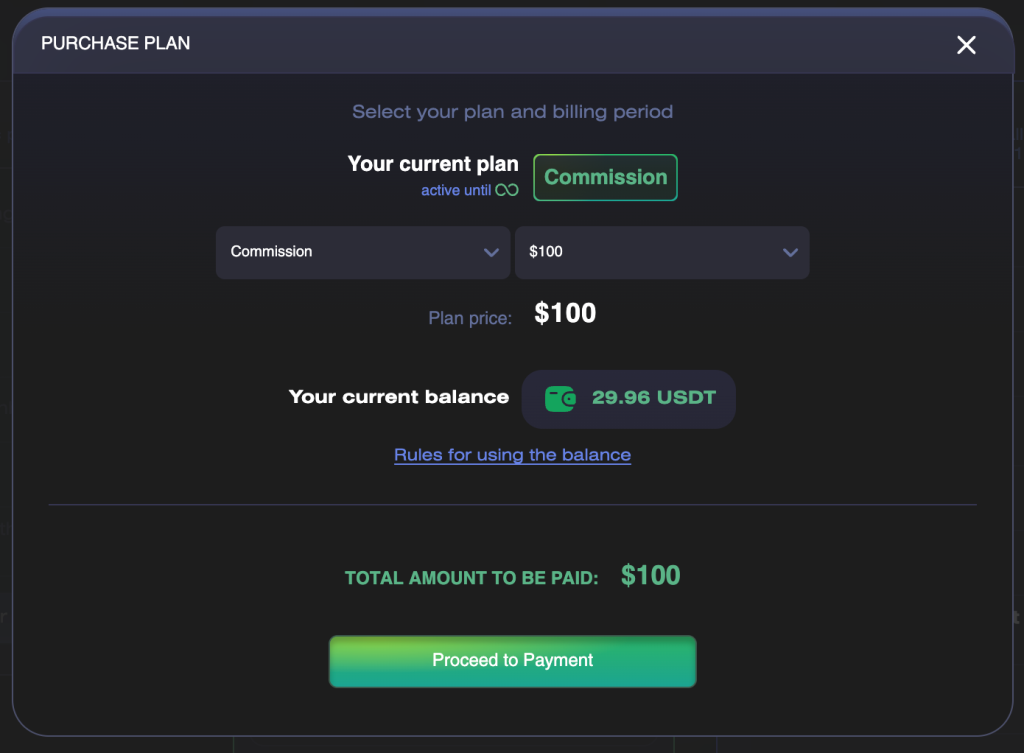
How to Purchase Commission
- Open the plan purchase window.
- Select Commission.
- Select an available top-up amount.
- Check the price, your current commission balance, and the total amount to be paid.
- Click the button to proceed to payment.
- Select a payment method and complete the transaction.
- Once the payment is confirmed, check your Wallet balance.
After a successful payment, the selected amount is credited to your commission balance and can be used to pay commissions for executed orders.
If Your Wallet Has an Outstanding Balance
Your top-up is first used automatically to repay the negative balance. The remaining amount becomes available to pay new commissions.
Example: if your balance is −1.2 USDT and you top up 30 USDT, the available balance after repaying the outstanding amount will be 28.8 USDT.
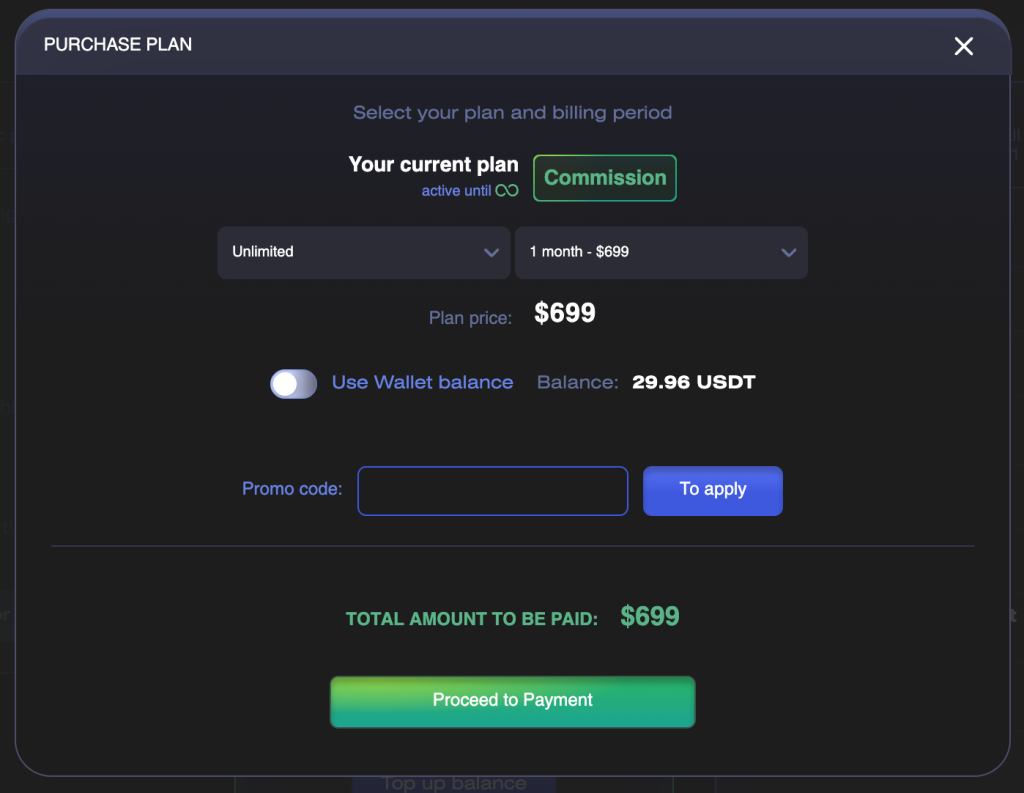
How to Purchase Unlimited
- Open the plan purchase window.
- Select Unlimited.
- Select the plan duration.
- Check the plan price and your current commission balance.
- To use your commission balance for the purchase, enable the
Use Wallet balanceoption. - Check the total amount to be paid after the balance has been applied.
- Apply a promo code if necessary.
- Proceed to payment and pay the remaining amount.
- Once the payment is confirmed, check your Unlimited status and expiration date.
Unlimited is activated after the payment is confirmed. Active tools continue running, and new orders are executed without commission commissions.
What Happens to Your Commission Balance When You Purchase Unlimited
- Your commission balance is preserved.
- No commissions are deducted from it while Unlimited is active.
- You cannot switch to the Commission plan while Unlimited is active.
- When Unlimited expires, you are automatically switched back to the Commission plan.
FAQ
Can I Purchase Commission If My Balance Is Negative?
Yes. The top-up will automatically repay the outstanding balance, and the remaining amount will be available to pay new commissions.
Can I Purchase Commission While Unlimited Is Active?
No. The Commission plan cannot be purchased while Unlimited is active.
Will My Tools Stop After I Purchase Unlimited?
No. Active tools will continue running without commission commissions.
What Happens When Unlimited Expires?
You will be switched automatically to the Commission plan. Your remaining Wallet balance will once again be used to pay commissions for executed orders.