Cryptorobotics Signal bots is the automation of your trades, the service is configured once, then you only collect statistics and profits from trades.
Signal bots is a «signals+bot» service. The signals are provided by the analyst, the bot processes the signals and makes trades.
To start using Signal bots, go to the Signal bots section.
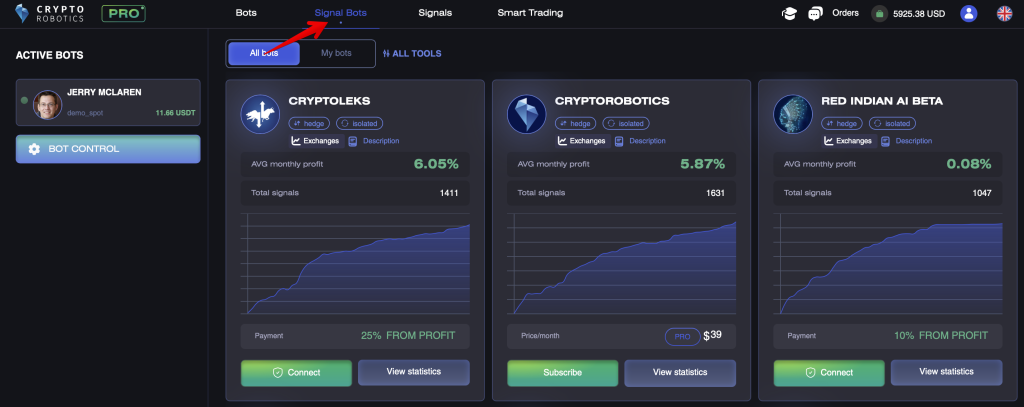
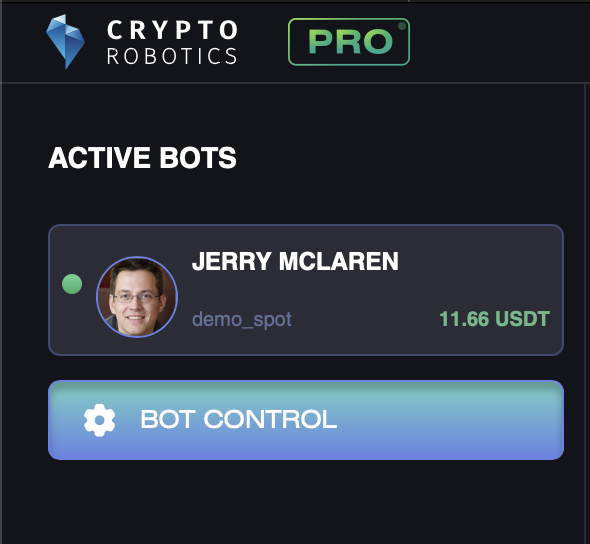
In the window that opens up, you will find several bots, for each of which you can see summary statistics. On the left side of the screen, you will also see a list of bots running on your account if any are active.
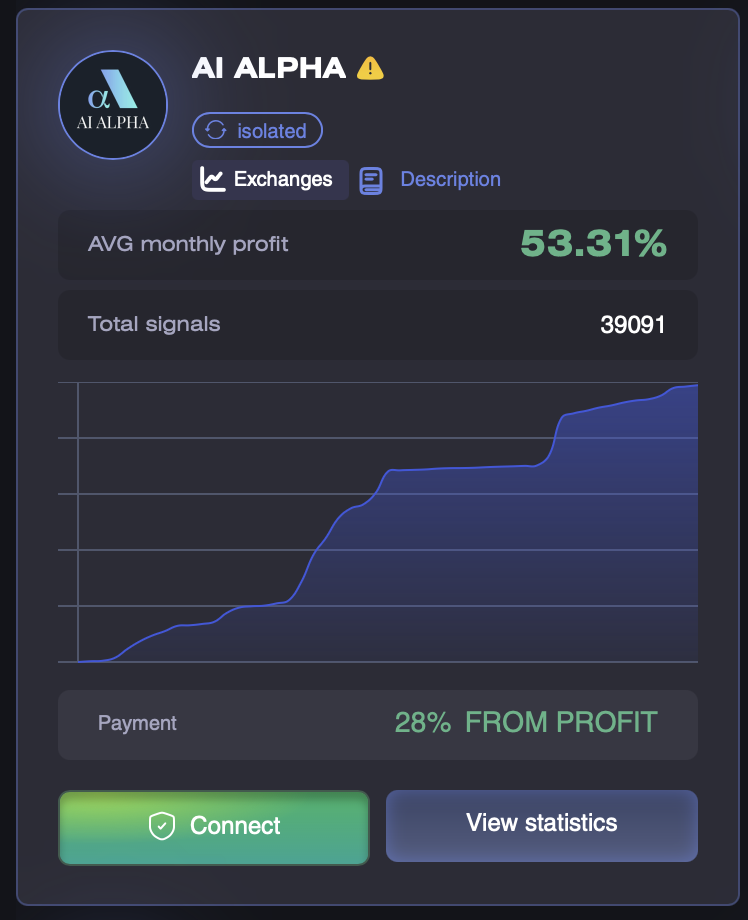
For each bot’s card, you will see:
- icons indicating the type and trading mode;
- the Exchanges icon, hovering over which will show a list of available trading exchanges;
- average monthly profit in % – the averaged profit value across all signals over a 1-month period
average monthly profit = Average daily total profit * 30; - number of signals/deals for the entire period;
- profitability chart;
- the applicable CryptoRobotics commission or an indication that the tool is included in Unlimited.
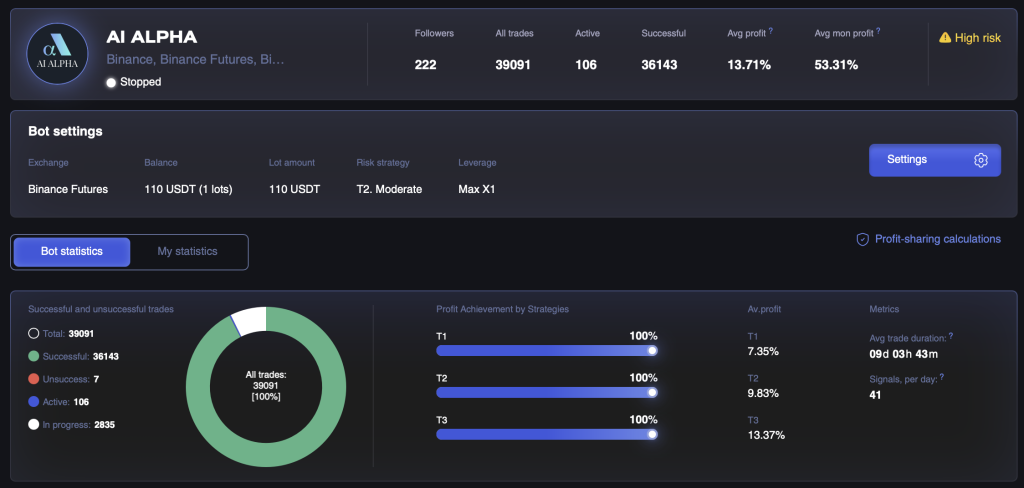
In order to get more detailed information about the bot statistics, you can select the View statistics button, after which you will be taken to the bot page, where data from the bot cover is presented, as well as:
- average profit on a signal/trade — average profit value on a single signal.
The average profit of one signal (for the last year) = the sum of the maximum achieved profits of all completed signals for the last year / the number of completed signals for the last year; - Win/Loss percentage chart;
- achievement percentage for each of the strategies: conservative, moderate, risky;
- average profit for each strategy;
- average trade cycle and average number of signals per day;
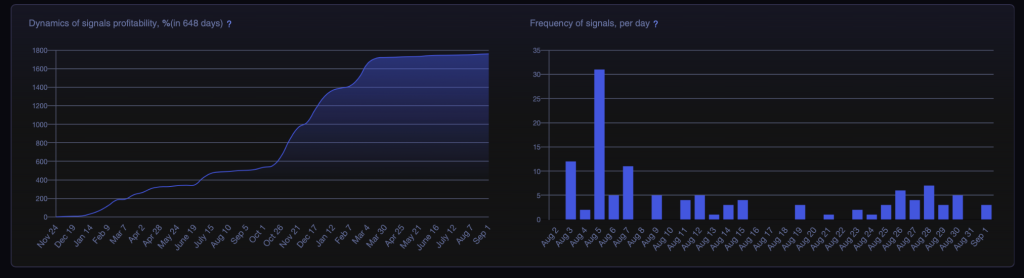
- chart of cumulative profit growth from signals/trades in the bot — the chart displays the cumulative value for each day: all maximum targets reached for the day / recommended number of lots. Only completed targets are considered in the calculation of signals’ profitability.
- chart displaying the frequency of signals received in the bot.
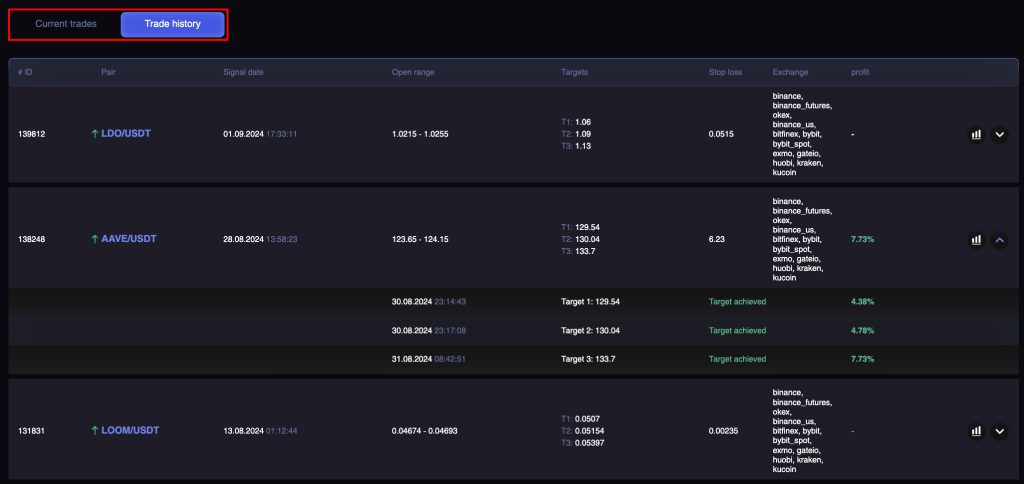
Below you can find the statistics of each of the signals. They contain such data as:
- date when the signal was created;
- targets achievement and profit for each of the 3 strategies;
- date and time of trades for each strategy;
- exchange/s where the trade was made;
- a chart that shows all the signal parameters: buy range, strategy targets, stop loss. You can track the time of the trade on the chart, as well as track where the price is now in relation to the sell target for pending signals;
- the status of pending signals is also displayed.
How to Start a Signal Bot
Select a Signal Bot and open its page to review the description, supported exchanges, and statistics. Then configure the exchange account and the available trading settings.
Under Commission, you need a positive commission balance to create new opening orders on a real exchange. CryptoRobotics charges 0.15% of the executed volume of each order. A separate subscription to the Signal Bot or a Profit Sharing contract is not required.
While Unlimited is active, CryptoRobotics does not charge a commission on executed orders.
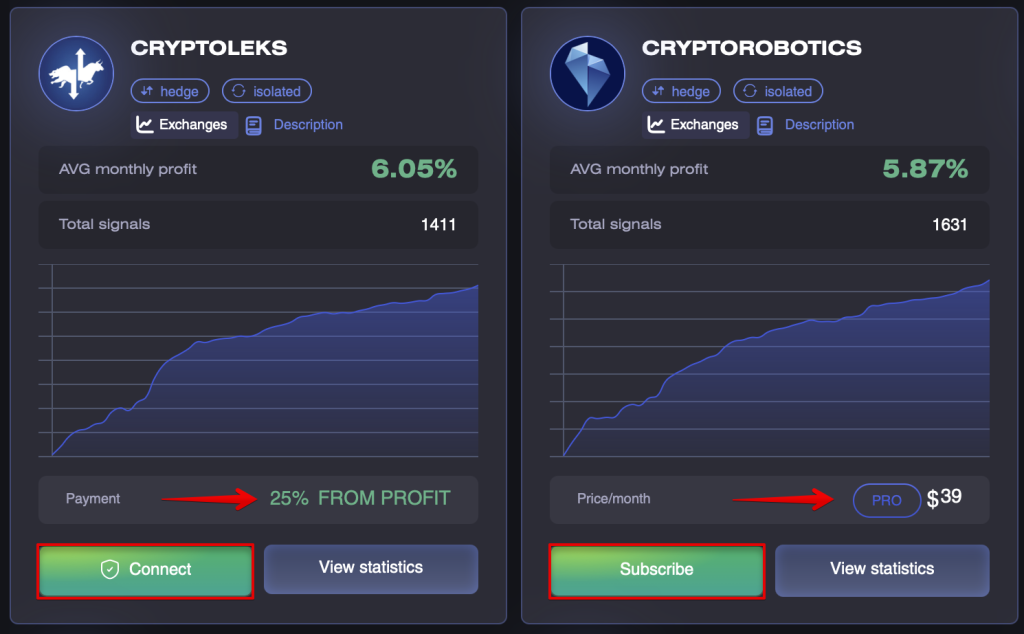
Once you have subscribed to a bot or clicked Connect, the bot settings become available to you.
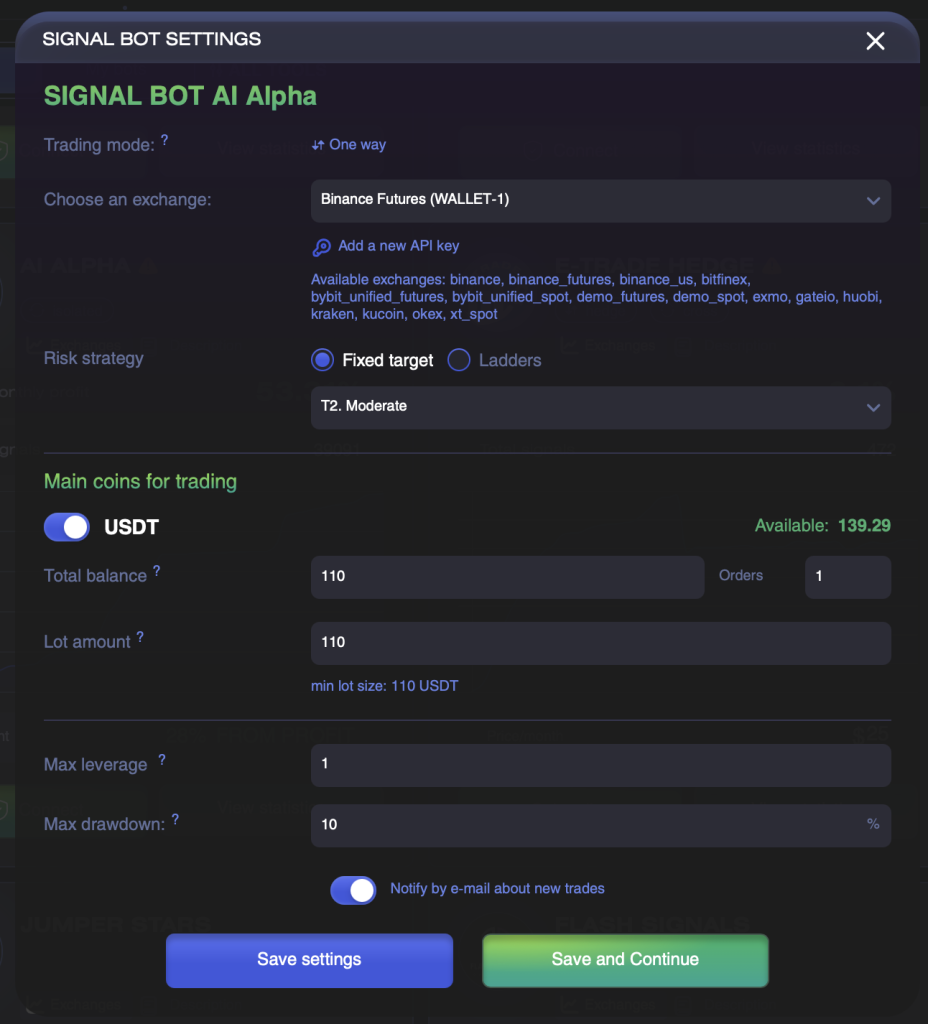
If you have selected a bot that works via Profit Sharing, the settings window will open automatically after clicking on the Connect button.
In case you have selected an signal bot with a fixed subscription, you need to click the Settings button.
Let’s review the parameters of the Signal bot settings.
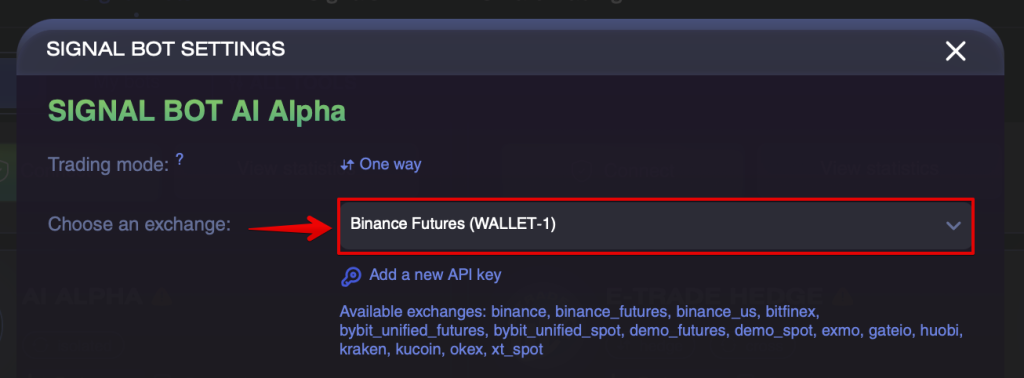
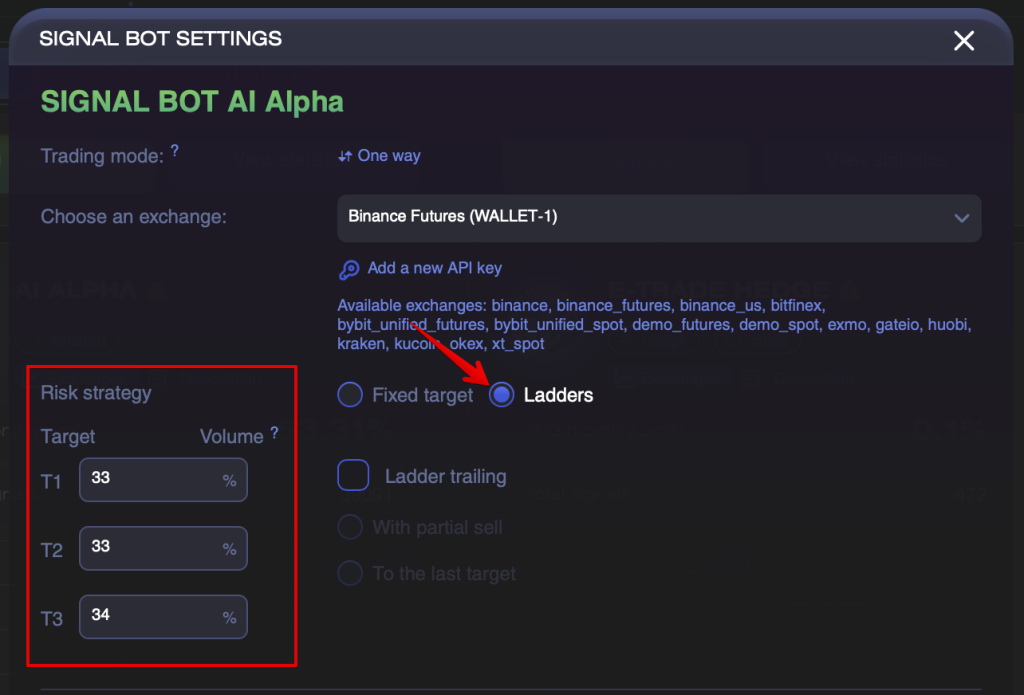
- First of all, you need to select the exchange API key you want to launch Signal bot on.
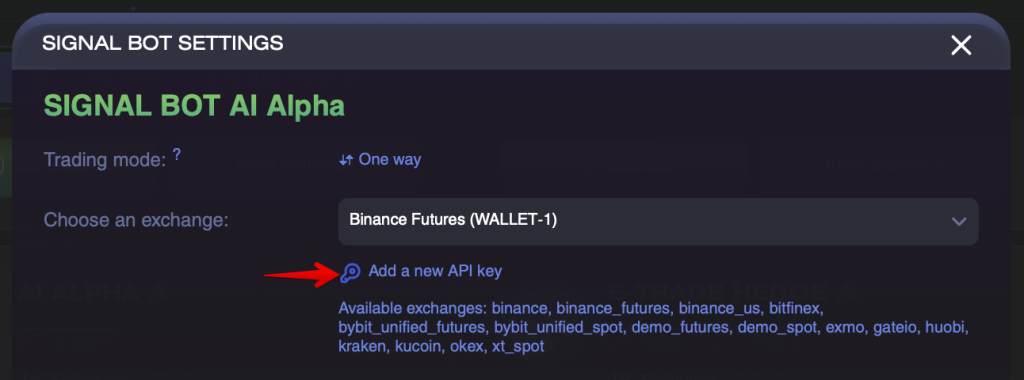
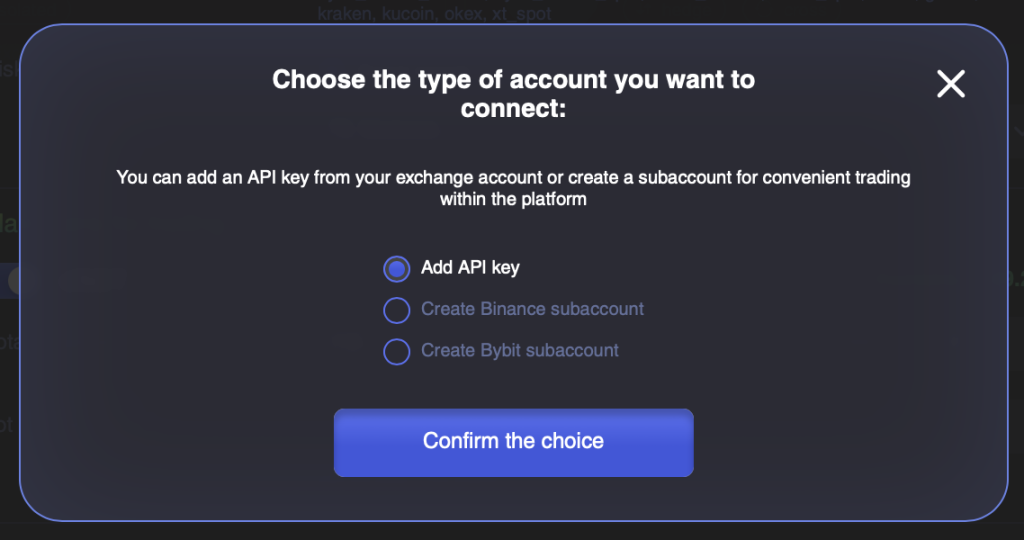
If no exchange is linked, the functionality allows adding an API key or creating a subaccount directly in the pop-up window.
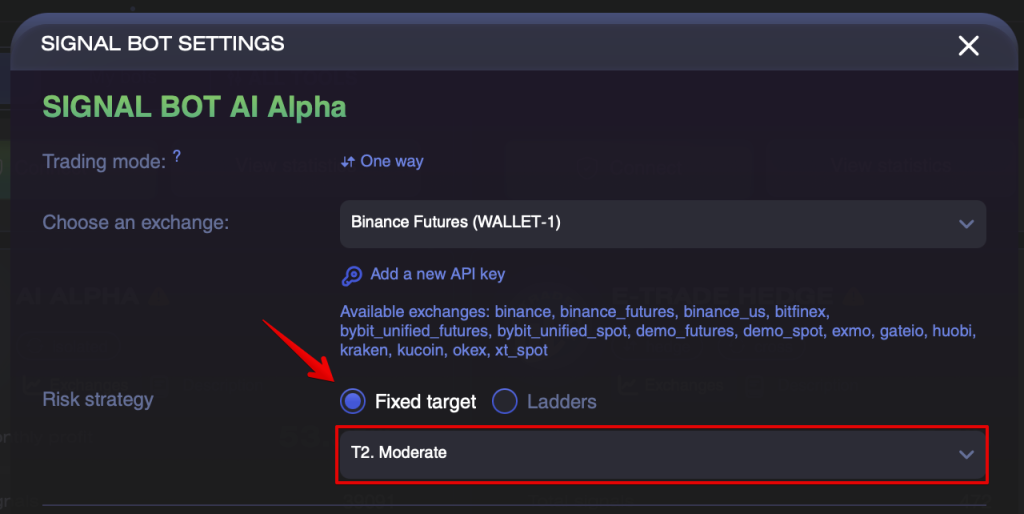
- Then you need to choose one of two options for exiting trades:
- Exit on a fixed target. This means that You can choose only one target out of 3 to exit the trade.
- Ladder exit (with partial sale). You can choose multiple targets simultaneously to exit the trade or pull the trade up to the last target. In the left part of the block, allocate the targets for the partial sale by shares. The sum of % for all 3 targets must equal 100%.
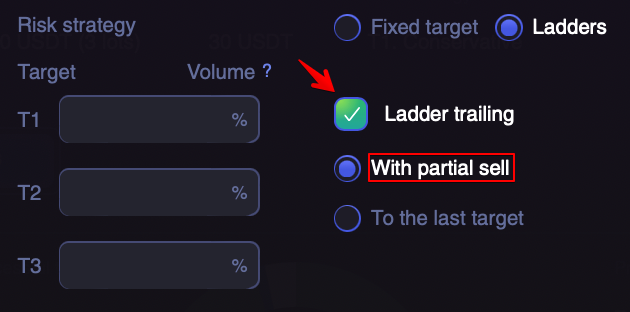
- Next, you can switch on Ladder Trailing. The Ladder Trailing checkbox is used to adjust the Stop Loss level when each new target is reached.
SL controls the selected targets and is adjusted according to the target achievement rule:
When reaching T1 -> SL= break-even, T2 -> SL=T1, T3 -> SL=T2.
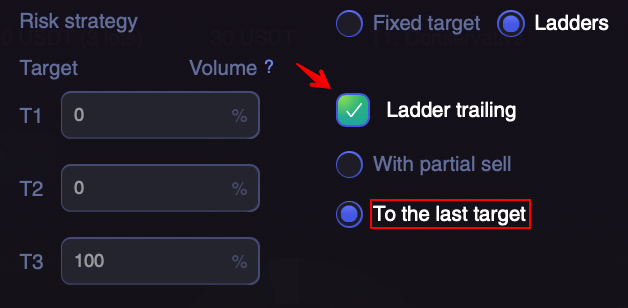
This function has 2 subsets:
- With partial sell. Trade amount will be split into 3 parts, according to the specified Volume. The trade will be closed for each of the targets gradually.
- Trailing to the last target. Only one target (the last one) is monitored for a trade exit, and a trade will be closed for 100% of the volume.
The analyst can also set recommended parameters for settings. The recommended parameters will be marked with a blue caption and selected by default.
4. After that you need to select:
- Main coin which you plan to trade to, BTC, USDT, ETH (you can choose all 3, you can choose 2 or 1) — most often signals are provided to USDT. It is important to study the bot statistics and choose the one or those coins that are given signals in this bot;
- Balance that you allocate to trade (after selecting the exchange you will see the balance available for this key in the selected currency);
- Size of one lot (in the selected currency) or the number of lots. For risk management it is recommended to divide the balance into at least 10 parts;
- Maximum leverage (for futures exchanges only).
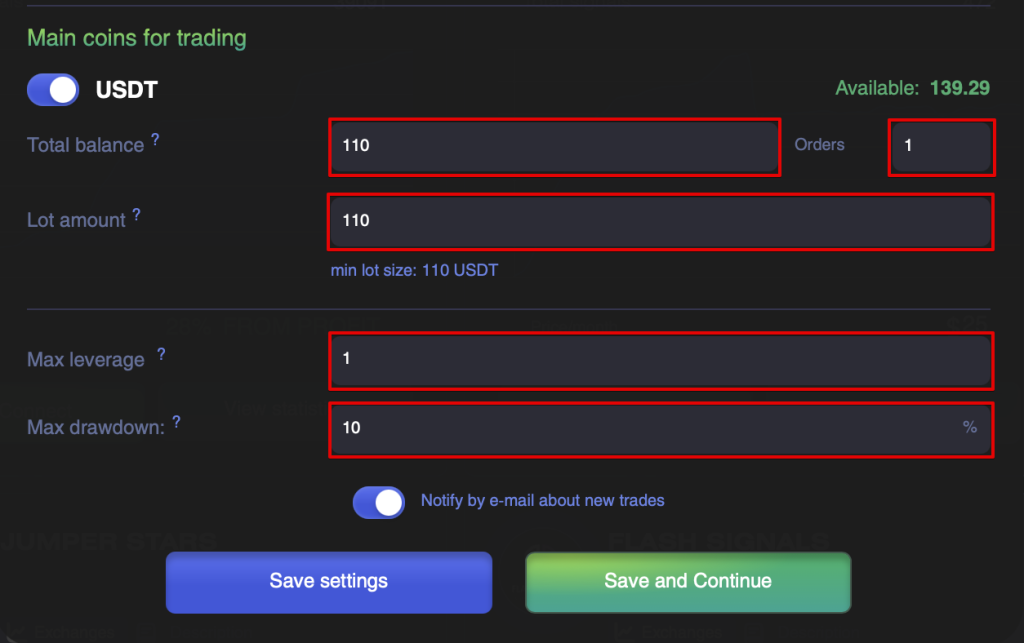
5. Click the Save and Continue button.
6. After saving the settings, check that the Signal Bot is running. Its executed orders and trading results will be available in the tool’s trading history. Under Commission, fees for executed orders are reflected in the commission transaction history in your Wallet.
To start the bot, you need to click the «Start Trading» button.
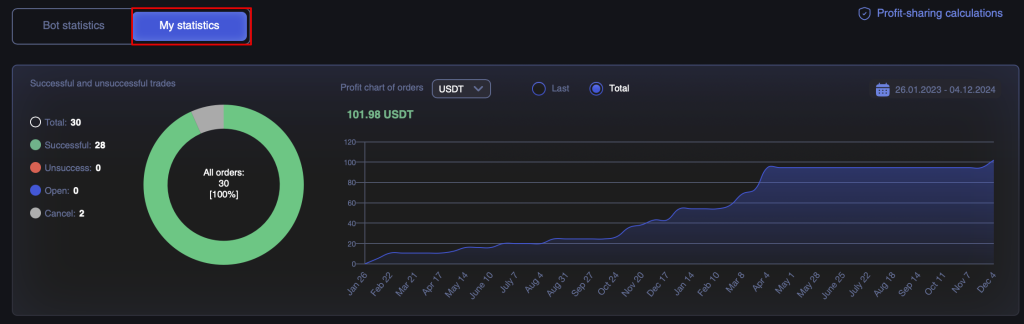
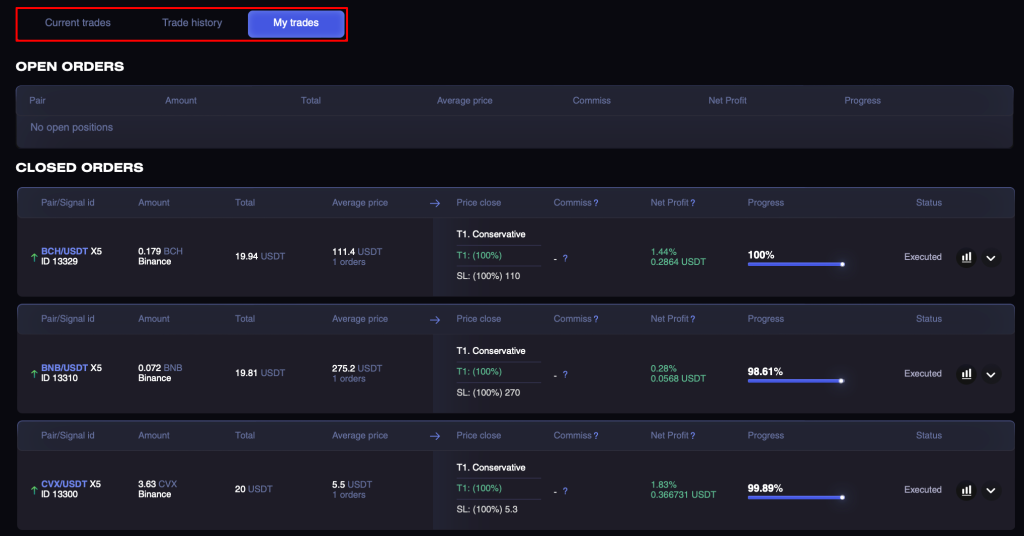
After making the first trades, data on your trades will appear in the My statistics section:
- settings that are currently implemented to the Signal bot;
- Win/Loss charts and cumulative revenue chart;
- statistics for each of the trades.
In order to diversify your portfolio you can subscribe to several bots and earn income from different signals, or afterwards choose the most profitable bot for yourself.