PayPal allows you to pay for your subscription in two ways:
- Using your PayPal account
- Using a bank card (Visa, Mastercard, etc.) without logging into PayPal
⚠️ Please note: the option to pay directly with a bank card may not be available in some countries or regions. In such cases, only payment through a PayPal account will be available.
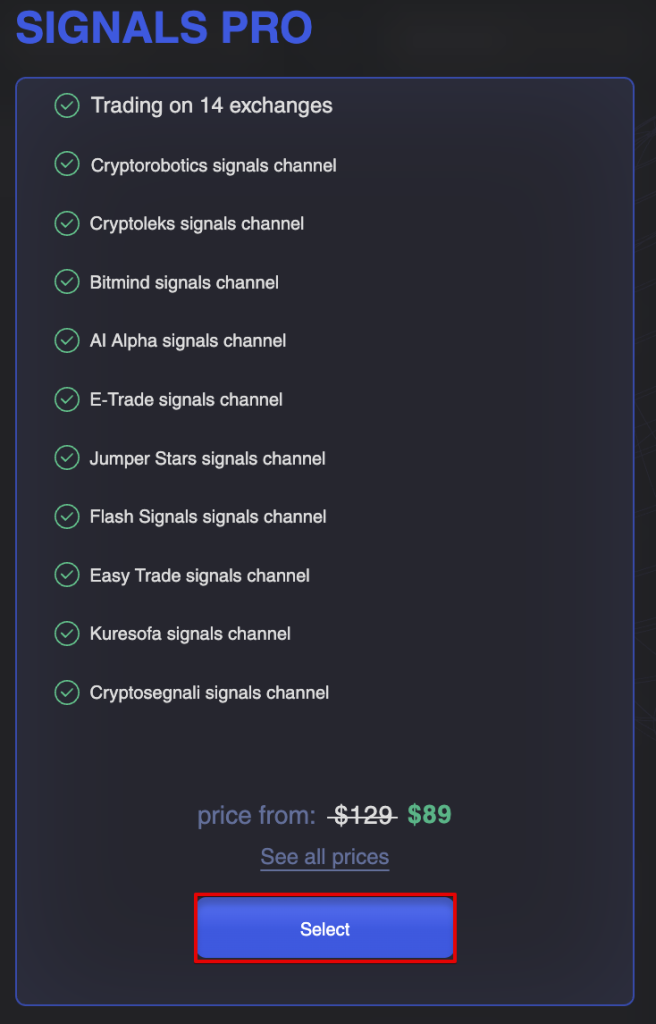
Step 1. Select the Service
Choose the subscription package or service you would like to purchase and proceed to checkout.
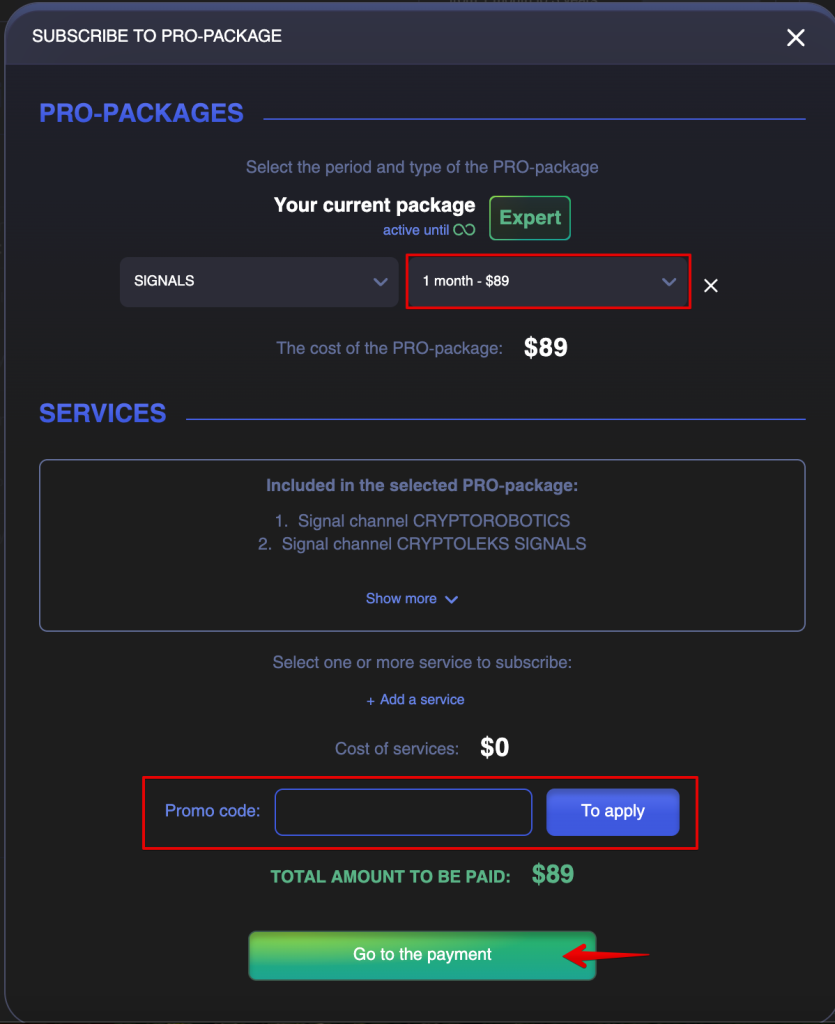
Step 2. Select the Subscription Period
Select your desired subscription period and enter a promo code if you have one. Then, click the Go to the Payment button.
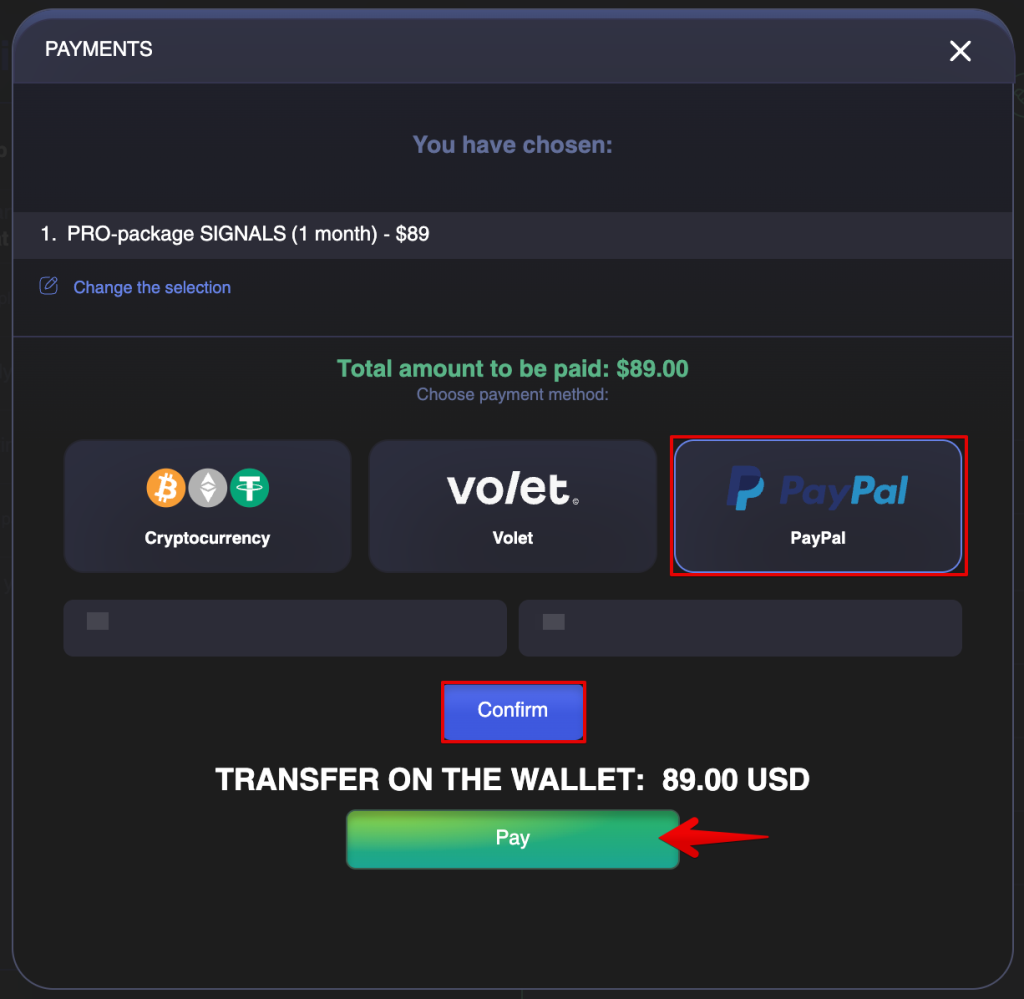
Step 3. Select PayPal as Your Payment Method
In the payment window, select PayPal.
After selecting PayPal, enter your First Name and Last Name, then click Confirm and Pay.
Step 4. Complete Payment on PayPal
You will be redirected to PayPal’s secure payment page.
At this stage, you may see two payment options.
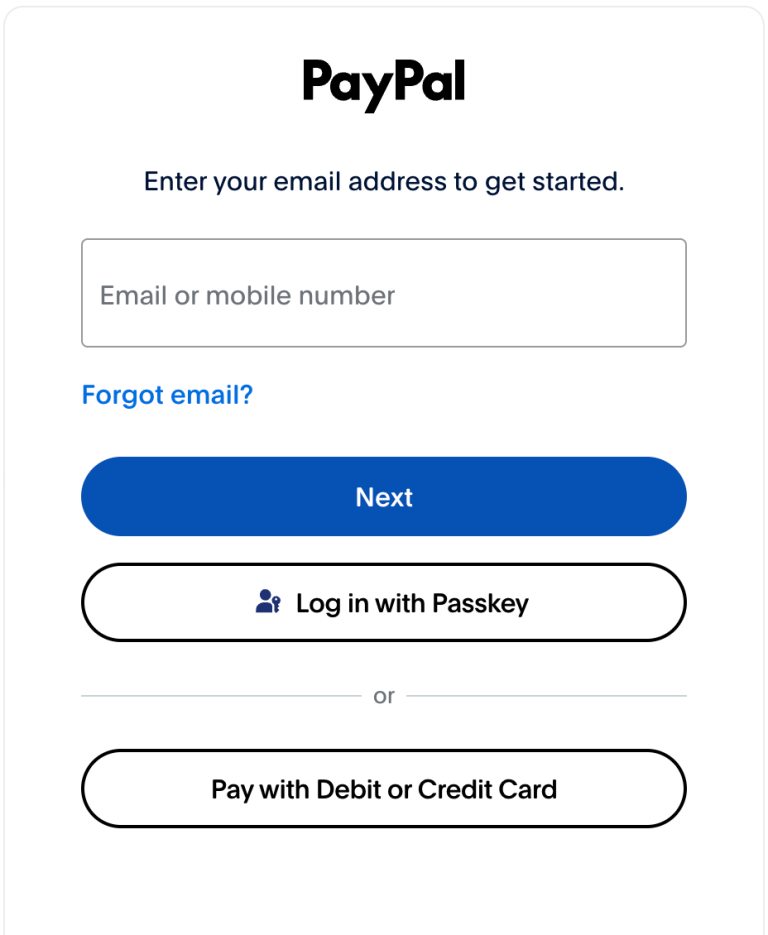
Option 1. Pay with a PayPal Account
If you already have a PayPal account:
- Enter the email address or phone number associated with your PayPal account.
- Click Next.
- Enter your PayPal password.
- Review and confirm the payment.
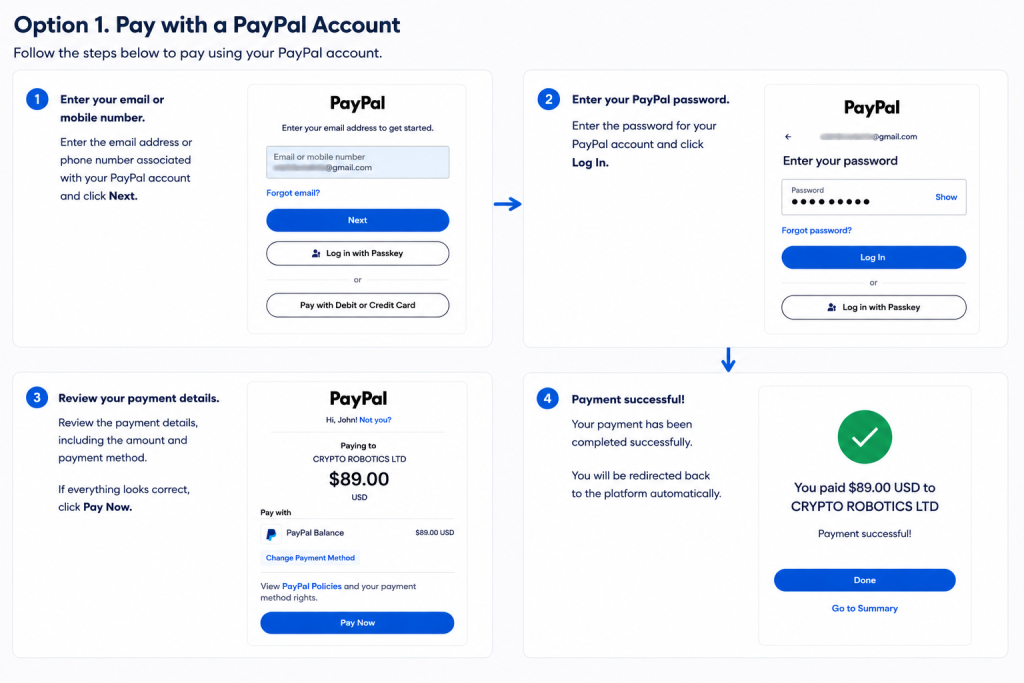
Once the payment is completed, you will be automatically redirected back to the platform.
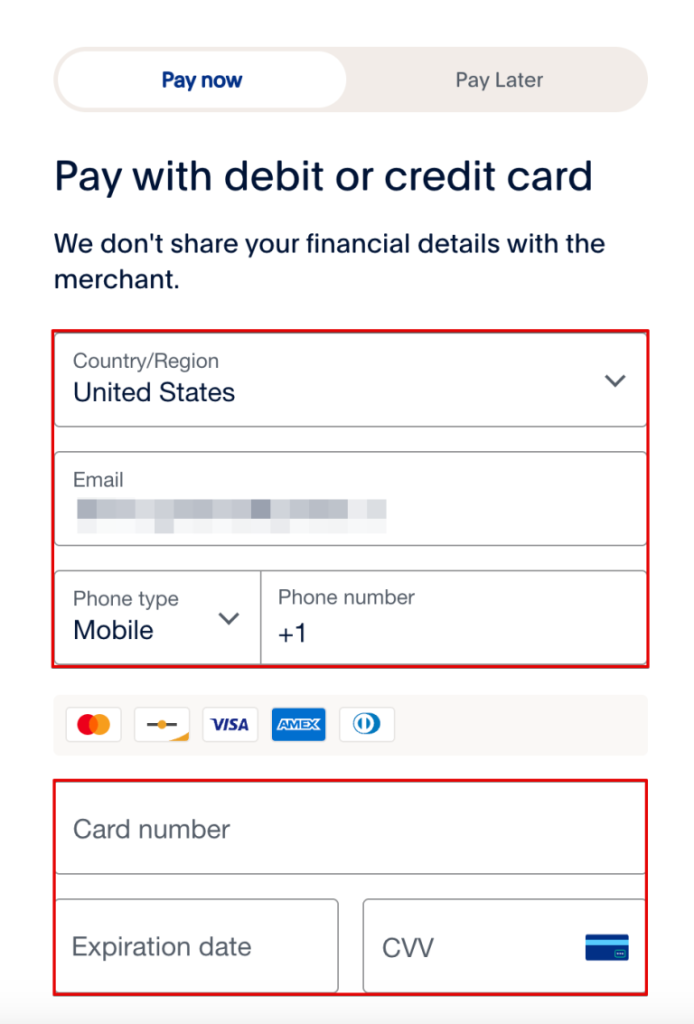
Option 2. Pay with a Debit or Credit Card
If available in your region, you can pay without a PayPal account:
- Click Pay with Debit or Credit Card.
- Enter your card details.
- Fill in the required billing information.
- Confirm the payment by clicking the Pay Now button.
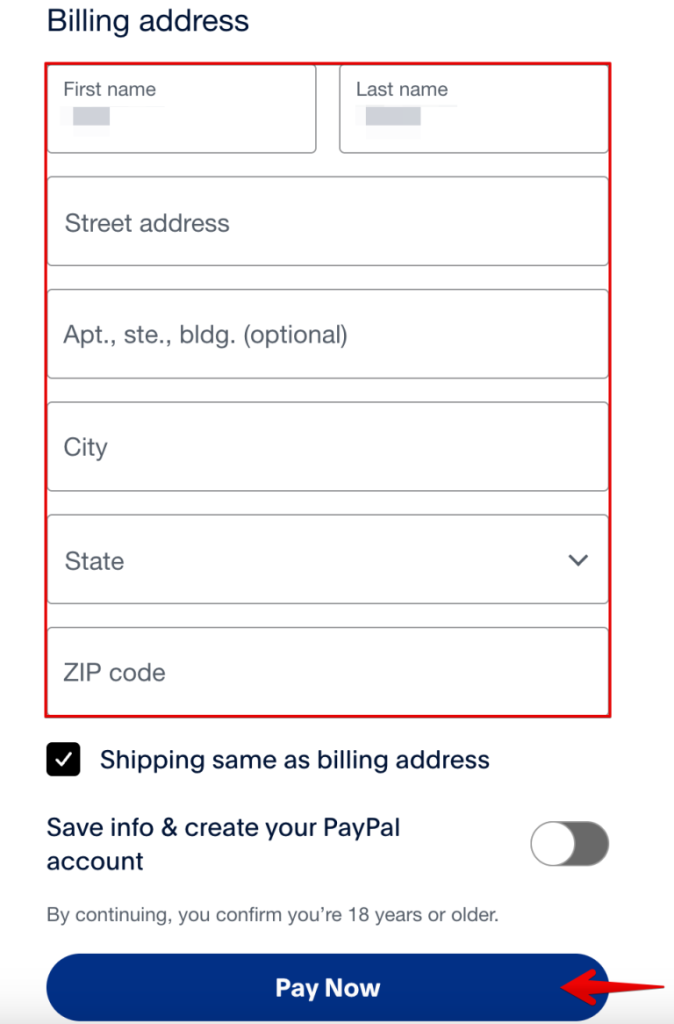
After successful payment, you will be automatically redirected back to the platform.
If the Card Payment Option Is Not Available
In some countries, PayPal may not display the Pay with Debit or Credit Card option.
If this happens, you can:
- Pay using an existing PayPal account;
- Use another payment method available on the CryptoRobotics platform.